When you create a WordPress menu, you might not need all the items to be clickable. Instead, when users hover to a particular item, they will see a drop-down of a submenu for that item.
If you’re still new in setting up WordPress menu, be sure to read our tutorial here.
Creating a Non-Clickable Link in Menu
Here’s a little trick. WordPress doesn’t allow the link text field to be empty while adding Links type item to your menu. To create a non-clickable link, you can simply put a hashtag ‘#‘ in the URL field.
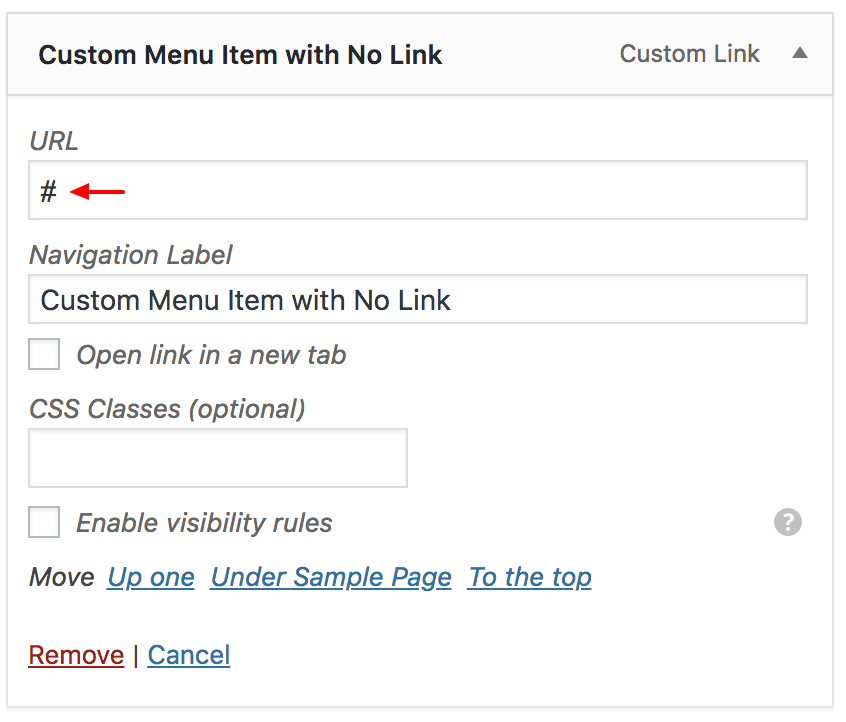
Once you’ve done adding some text the Link Text, simply hit the Add to Menu button.
Discussion