WordPress no longer just a blogging platform. Some people use WordPress as a platform to build membership site, eCommerce, Wiki, directory, Community site (with the use of BuddyPress or another plugin with similar functionality), web gallery or even as Customer Relationship Management (CRM), just to name a few. To allow other people to use of your website, you need to allow them to register on your site.
By default, for safety reason, WordPress disables new user registration on your WordPress site. However, this is really easy to change.
To allow new user registration on your site, go to Settings > General > Membership.
Simply tick on the checkbox to allow new public user registration. Once enabled, on WordPress login page you’ll see a new link to access the registration page.
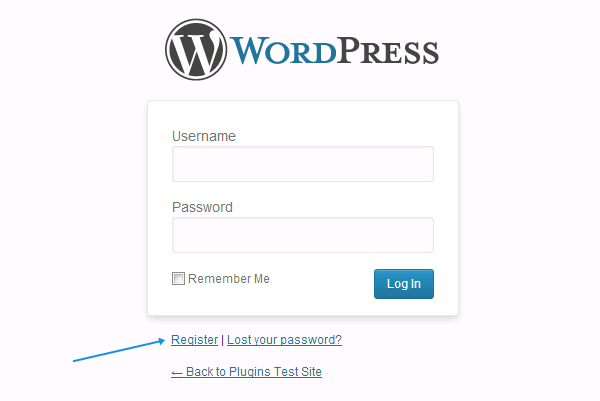
Clicking on the link will bring you to the registration page.

Changing New User Default Role
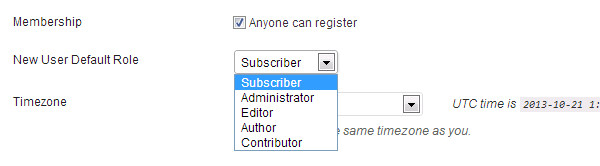
If you decided to enable new user registration, make sure you know which user default role the new user will be assigned with. The default one is Subscriber and should be fine in most of the case but of course, for a more complex site with a different level of access, you’ve to decide which one works best for you.
As a guideline, please read through the User Roles and Capabilites page in WordPress Codex page for in depth understanding of each user role.
Discussion