Whenever I develop a site for a client, I usually remove unnecessary items (widgets, links, settings) from the site to make it easier for the client. Besides removing unnecessary default dashboard widgets for a more clean dashboard, I usually remove any unnecessary settings from Genesis Framework settings page.
Note: As a developer, I use Genesis Framework to help me build a custom theme. It saves a lot of my time..
Here’s a look of Genesis settings page:
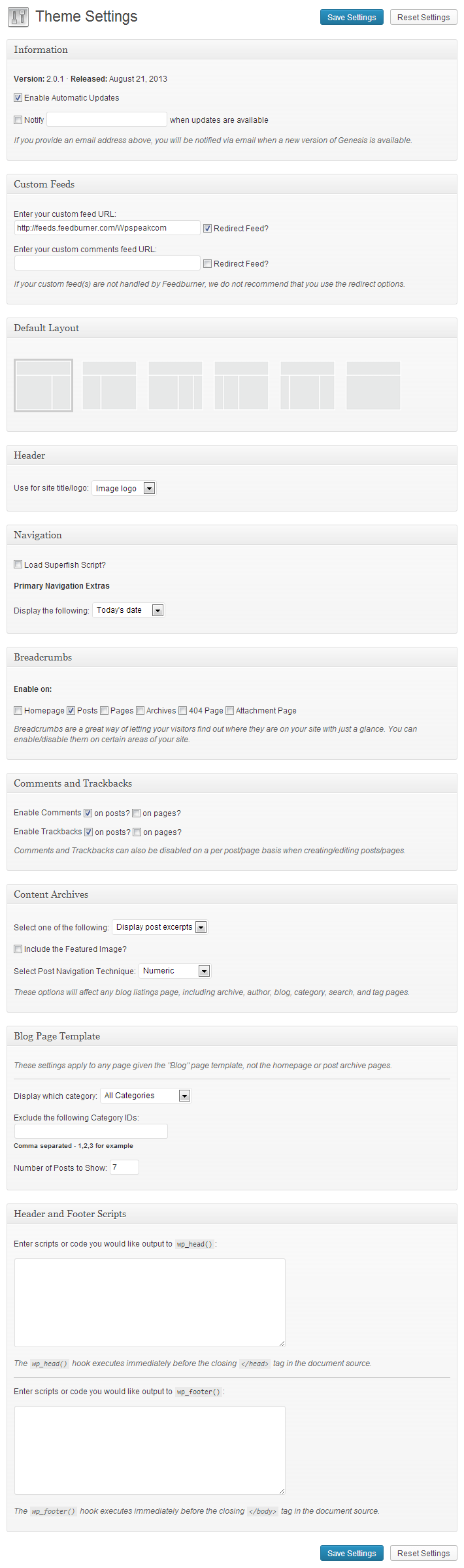
As you can see, there are lots of stuff in there.
To remove any of the meta boxes from Genesis settings page, simply use the code above in functions.php file of your child theme.
It’s that simple. If you’ve any question, feel free to drop your comment in the comment section below.
Discussion