It’s a little frustration that WordPress does not add a submenu of comment status in your WordPress dashboard.
Although it shows a notification of new comment status, there are still few more steps. You need to click on it, then click on the comment status (like shown below):
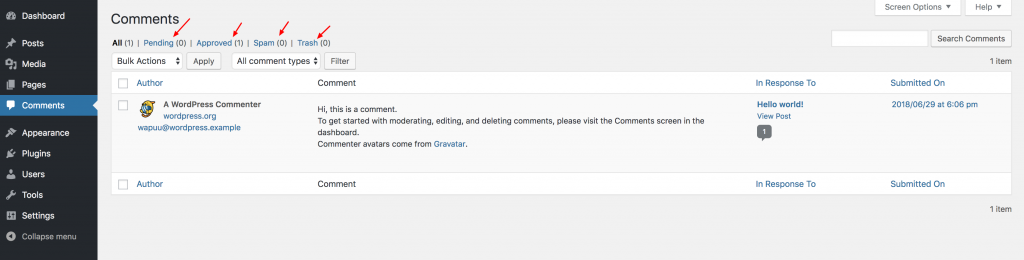
To add the comment status submenu, simply install and activate Comment Menu Links plugin. This plugin works out of the box and will add 4 new submenu under Comments menu:
- Approved
- Pending
- Spam
- Trash
Once activated the plugin, this is what you’ll see:

Update: Pippin Williamson, the author of this plugin has written a complete tutorial on adding this feature to your WordPress site without plugin.
Discussion