How to Sync Stock & Price for WooCommerce Products
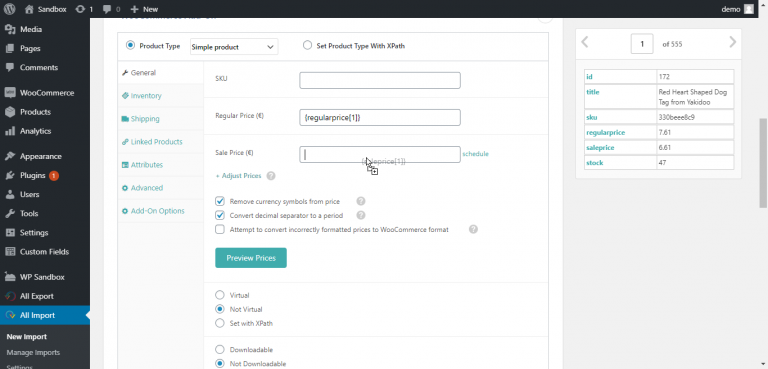
First, upload any CSV or XML to WP All Import. Then drag & drop to link the stock/price data from your file to…
Read articleFirst, upload any CSV or XML to WP All Import. Then drag & drop to link the stock/price data from your file to…
Read articleFirst, export your WooCommerce Customers to CSV with WP All Export. Select Migrate Customers to set up your export automatically. Then upload them…
Read articleYou can import WooCommerce Products from any file with WP All Import: Create a new import and select WooCommerce Products Drag & drop…
Read articleCreate a new export in WP All Export and select “WooCommerce Orders” from the drop-down, then drag & drop the order data to…
Read article